Unlock Your Productivity with the USB C Docking Station Dual Monitor HDMI
Our Product Insight
In today’s fast-paced digital world, having the right tools can make all the difference in your productivity. The USB C Docking Station Dual Monitor HDMI is designed to enhance your workspace by providing multiple connectivity options for your laptop. Whether you’re working from home, in the office, or on the go, this docking station aims to simplify your setup and expand your capabilities.This docking station is compatible with a variety of laptops, including those from Dell, HP, Lenovo, and Microsoft Surface. It features Thunderbolt 3/4 technology, ensuring high-speed data transfer and efficient power delivery. Let’s dive deeper into what makes this docking station a valuable addition to your tech arsenal.
Key Features
The USB C Docking Station is packed with features that cater to both casual users and professionals alike. Here are some of the standout features:- Dual Monitor Support: With two HDMI ports, you can easily connect two external monitors, allowing for a more immersive and productive workspace. Whether you’re multitasking or presenting, having dual screens can significantly enhance your workflow.
- Versatile Connectivity: This docking station includes VGA, Ethernet, and five USB ports (including USB 3.0 and USB-C). This means you can connect various devices, from printers to external hard drives, without hassle.
- Power Delivery: With 100W Power Delivery, you can charge your laptop while using the docking station. This feature is particularly useful for those who are always on the move and need to keep their devices powered up.
- SD/TF Card Reader: For photographers and content creators, the built-in SD/TF card reader allows for quick and easy access to your files, making it convenient to transfer data without needing additional adapters.
- Audio Output: The audio port lets you connect your headphones or speakers, ensuring you can enjoy high-quality sound while working or relaxing.
While these features are impressive, it’s essential to consider how they fit into your specific needs.
Who It's For
The USB C Docking Station is ideal for a variety of users: - Remote Workers: If you’re working from home or a co-working space, the ability to connect multiple monitors and devices can help create a more efficient workspace. - Students: For students who need to connect their laptops to projectors or external displays for presentations, this docking station provides a straightforward solution. - Gamers: If you’re a gamer who uses a laptop, the dual monitor support can enhance your gaming experience, allowing for better multitasking and immersive gameplay. - Creative Professionals: Photographers, videographers, and designers will appreciate the fast data transfer speeds and the ability to connect multiple peripherals seamlessly.Pros and Considerations
Like any product, the USB C Docking Station has its pros and potential considerations:Pros:
- Multiple Connectivity Options: The variety of ports allows you to connect almost any device you need.
- Easy Setup: Plug-and-play functionality means you can get started quickly without complicated installation processes.
- Compact Design: Its sleek design makes it easy to carry around, perfect for those who travel frequently.
Considerations:
- Compatibility: While it works with many devices, it’s essential to ensure your laptop supports Thunderbolt 3/4 for optimal performance.
- Heat Management: Some users have reported that the docking station can get warm during extended use, so it’s advisable to ensure it has proper ventilation.
In conclusion, the USB C Docking Station Dual Monitor HDMI is a versatile and functional tool that can significantly enhance your productivity. With its array of features and compatibility with various devices, it’s designed to meet the demands of modern users. Whether you’re working, studying, or gaming, this docking station can help streamline your setup and keep you connected. If you’re interested in upgrading your workspace, be sure to check current price and see if this docking station fits your needs!
1. To enhance your gaming experience, consider the UGREEN HDMI 2.1 Cable Certified 10K, which supports high resolutions and refresh rates perfect for your PS5 or Xbox. 2. If you're looking to connect your devices seamlessly, the 3.5mm to 3.5mm Aux Cable provides a reliable and high-quality audio connection for your headphones or speakers. 3. For a superior audio experience in your home theater or gaming setup, the TanQY 2RCA to 2RCA Cable ensures crystal-clear sound with its gold-plated connectors. 4. When using an Atomos Ninja V Monitor or similar devices, the Alvin's Cables 8K HDMI 2.1 Cable offers the perfect combination of flexibility and high-speed performance for your video needs. 5. For reliable internet connectivity, the Amazon Basics 10Gbps High-Speed Cat6 Ethernet Network Patch Cable is an essential accessory that ensures fast and stable connections for all your devices.
🛍️ More Products You Might Like

Mr. Tronic White Cat 6 Ethernet Cable 100m, LAN Ethernet Net
£45.44

TanQY 2RCA to 2RCA Cable 1.8M, Gold-Plated 2 RCA Male to 2 R
£6.19
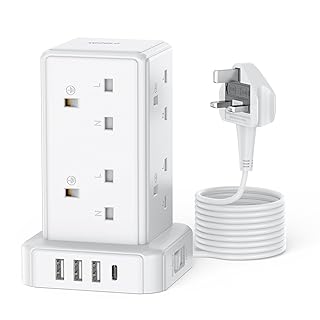
Tower Extension Lead with 8 Way Multi Plug Extension Tower &
£19.99

AUNNO Extension Lead with USB Slots, 4 Way Sockets Outlets w
£19.99

4k HDMI Cable 3M,High Speed HDMI 2.0 Cord, Support 4K@60Hz,A
£3 left in stock.
Disclaimer: This article has been generated through our AI content insight system and is intended for general informational purposes only. Please carry out your own research and review product details directly before making any purchase decisions.